Export
All tables in the Web UI can be exported to CSV by clicking CSV in the top right corner of each table.
The Export page also allows the option of exporting the entire project data in various formats, including CSV, Excel, and GraphML.
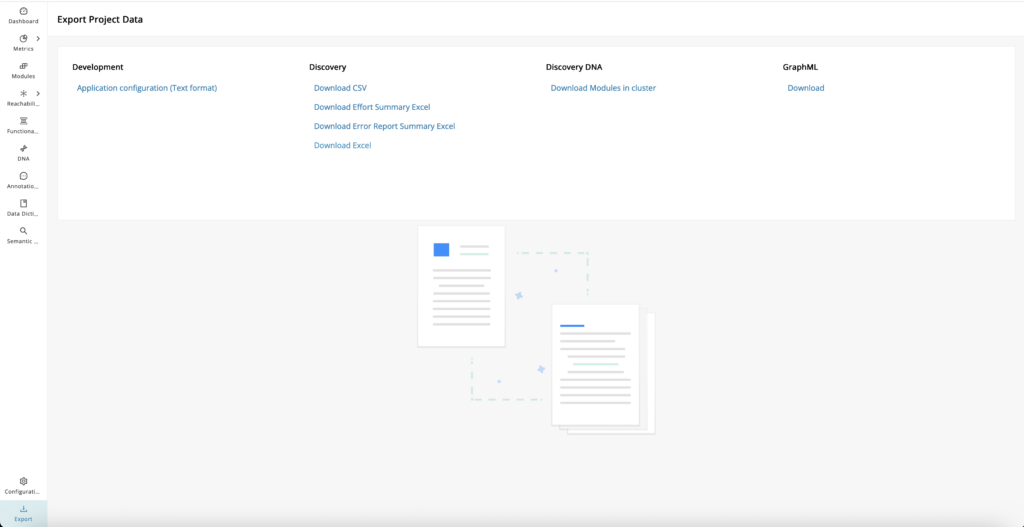
Download list
| Data Source | Download Options |
|---|---|
| Development | Application configuration (Text format) |
| Discovery |
|
| Discovery DNA | Download Modules in cluster |
| GraphML | Download business taxonomies and associated module attributes (Used for Social Graphs) |
Discovery: Download error report summary Excel
Exploring and prioritizing errors identified from Discovery is a key step in ensuring data quality and project success. To streamline this process, users can easily download a comprehensive Error Report Summary in Excel format directly from this section. Click Download Error Report Summary Excel under Discovery to download the error report summary. This provides parser errors grouped by issue type, highlighting patterns, and helps with prioritizing troubleshooting errors.
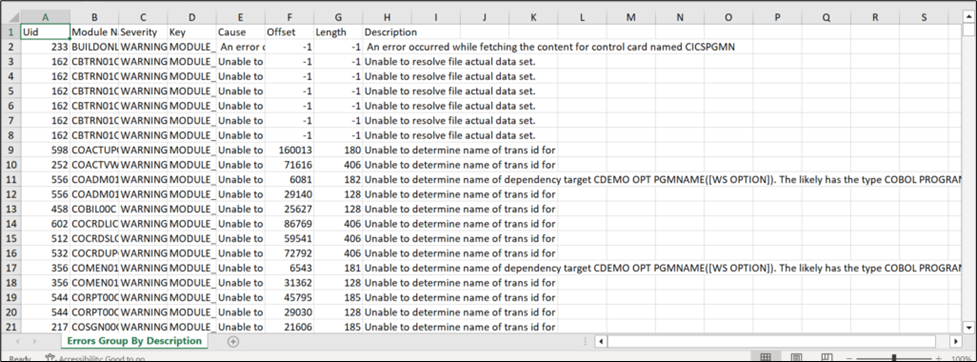
To find similar errors as a group, filter through the "Description" column.