Use cases
This page groups common Decompose workflows into practical use cases that you can follow during project delivery. Each section describes a typical goal, the main prerequisites, and the steps to complete the task in the product. Use these scenarios as quick-start playbooks when you need to map a business question to a concrete Decompose workflow.
Imports use cases
These import scenarios focus on getting the core project data into Decompose so later analysis features have the right inputs. They cover both direct database extraction and handoff from Mining-based workflows. Use these examples when you need a practical path for loading a new project.
I want to get database schema information from the legacy database of the customer
Prerequisites:
- Clarify with the customer whether a DDL export tool is available, or whether DB-Crawler will be used.
Step 1: Export the database schema from the legacy system.
- Option 1: Export the DDL with the customer-provided tooling and collect the SQL file.
- Option 2: Run DB-Crawler against the legacy database and collect the JSON output.
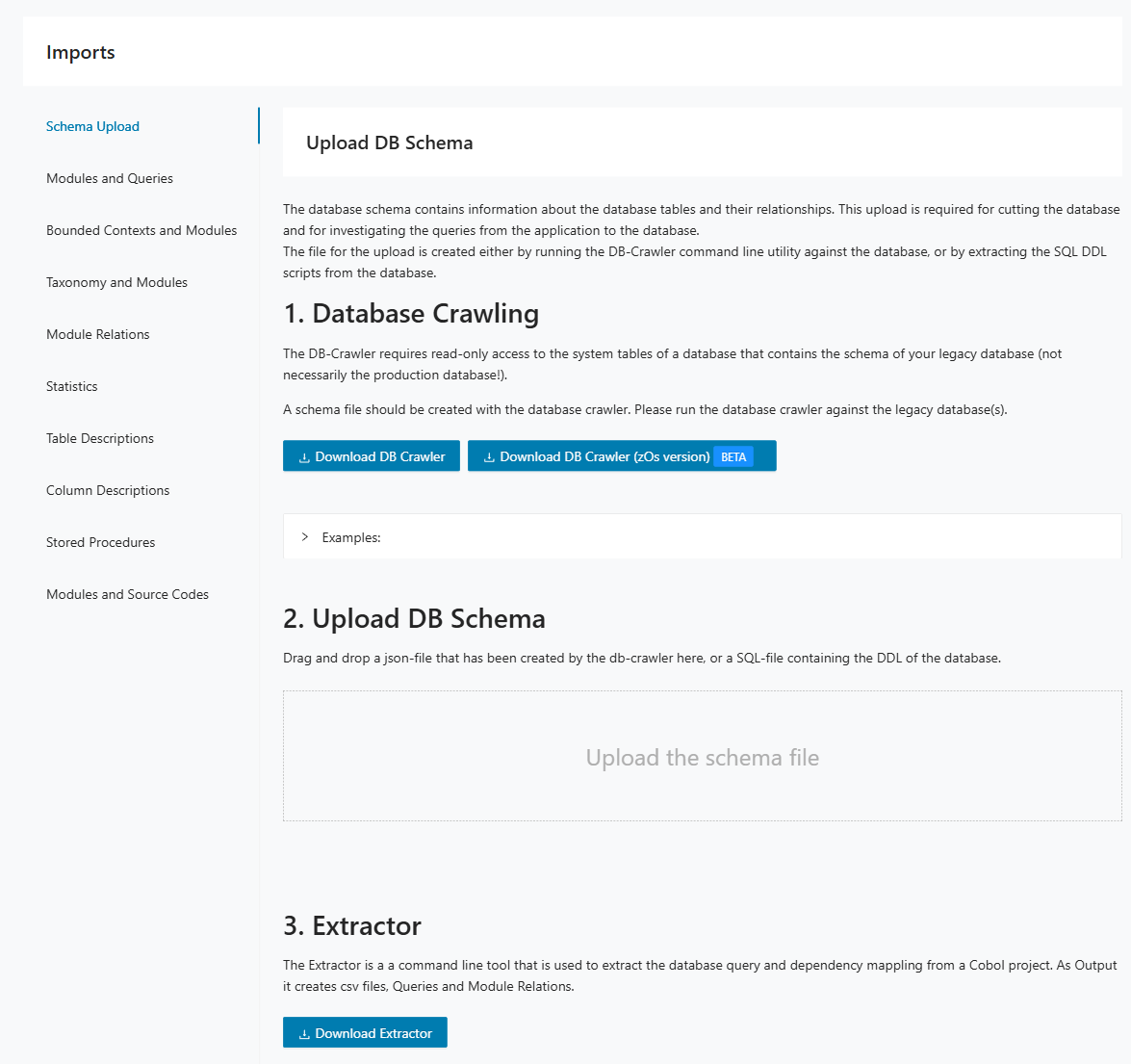
Step 2: In Decompose, open Imports > Schema Upload.
Step 3: Upload the SQL or JSON file and start the import.
Step 4: Verify that expected schemas, tables, and views are available for downstream analysis.
Step 5: Continue with module and query imports so Decompose can link code and database objects.
I want to connect to Mining data
Prerequisites:
- In Mining, a Discovery run has been completed.
- Optional: In Mining, taxonomies have already been assigned to modules.
Step 1: Install the DB-Cutter Mining plugin in Mining.
Step 2: Export CSV files from Mining: Modules and Queries, Module Relations, and optionally Taxonomies and Modules plus Source Code.
Step 3: Clean and normalize the CSV files before import. Remove irrelevant rows, align naming conventions, and keep only project-relevant content.
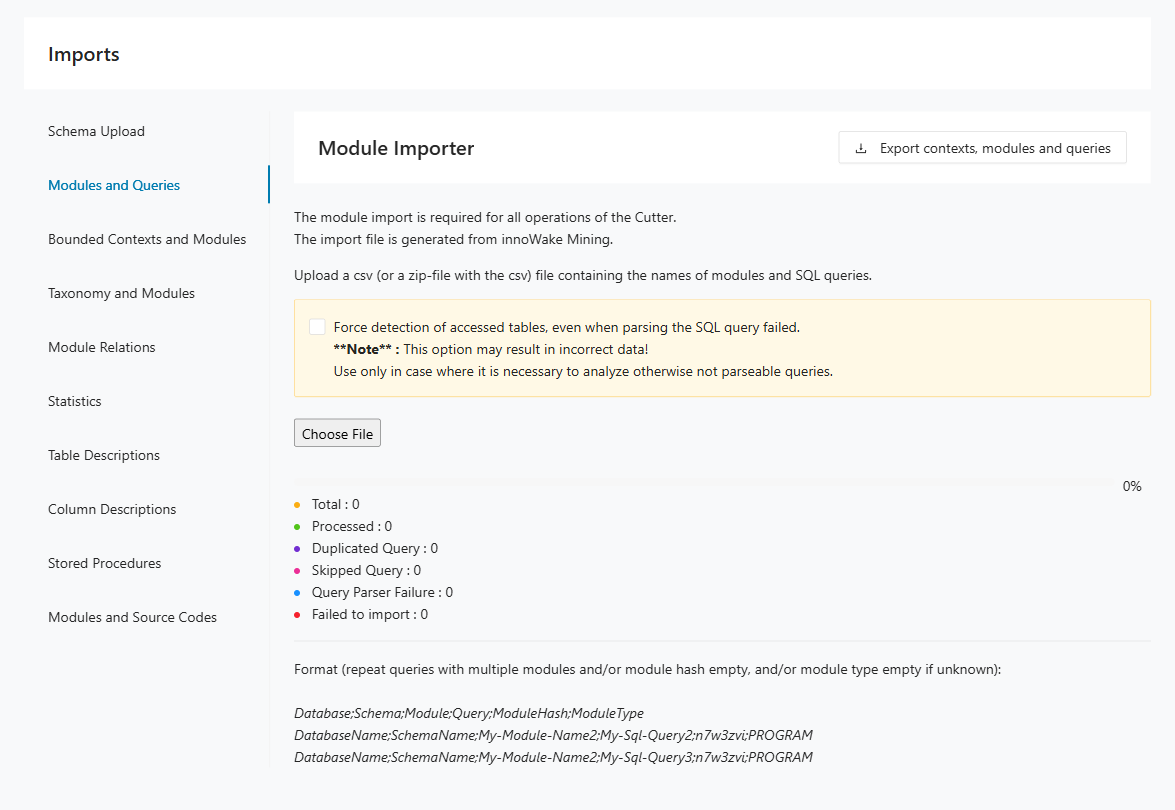
Step 4: In Decompose, open Imports > Modules and Queries and upload the CSV file.
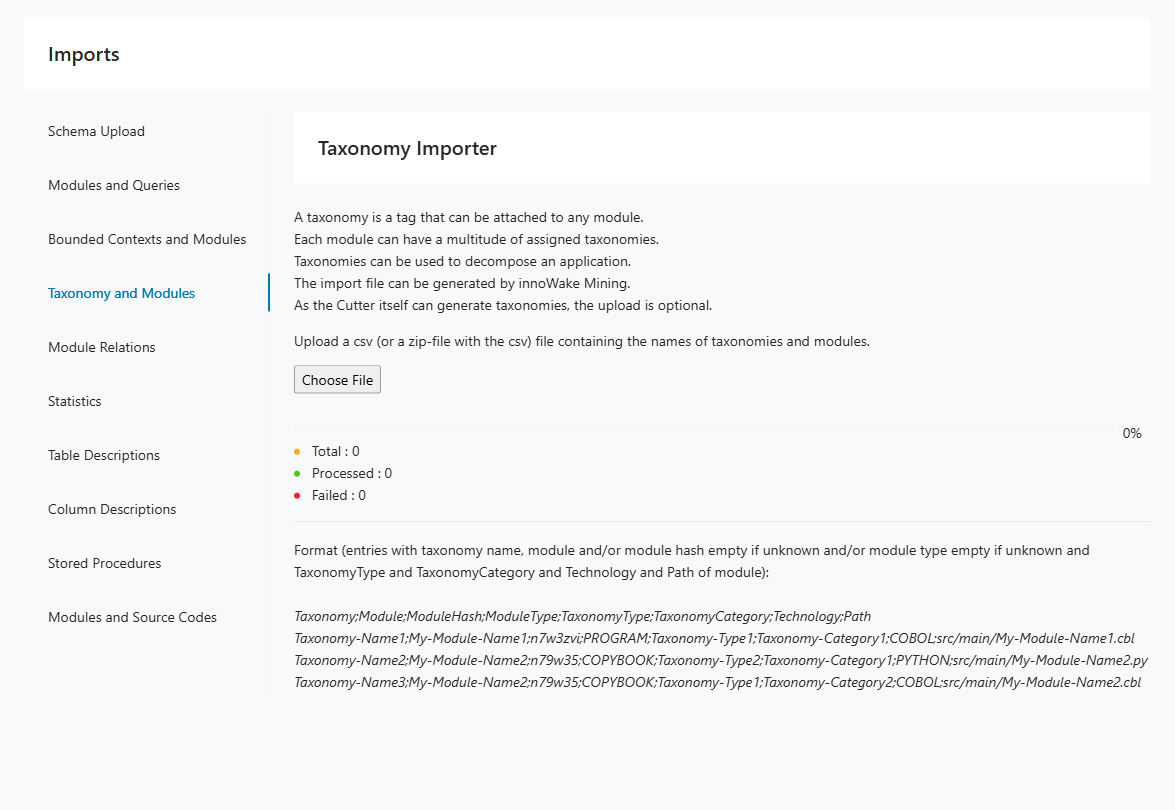
Step 5: Optional: open Imports > Taxonomy and Modules and upload taxonomy mappings.
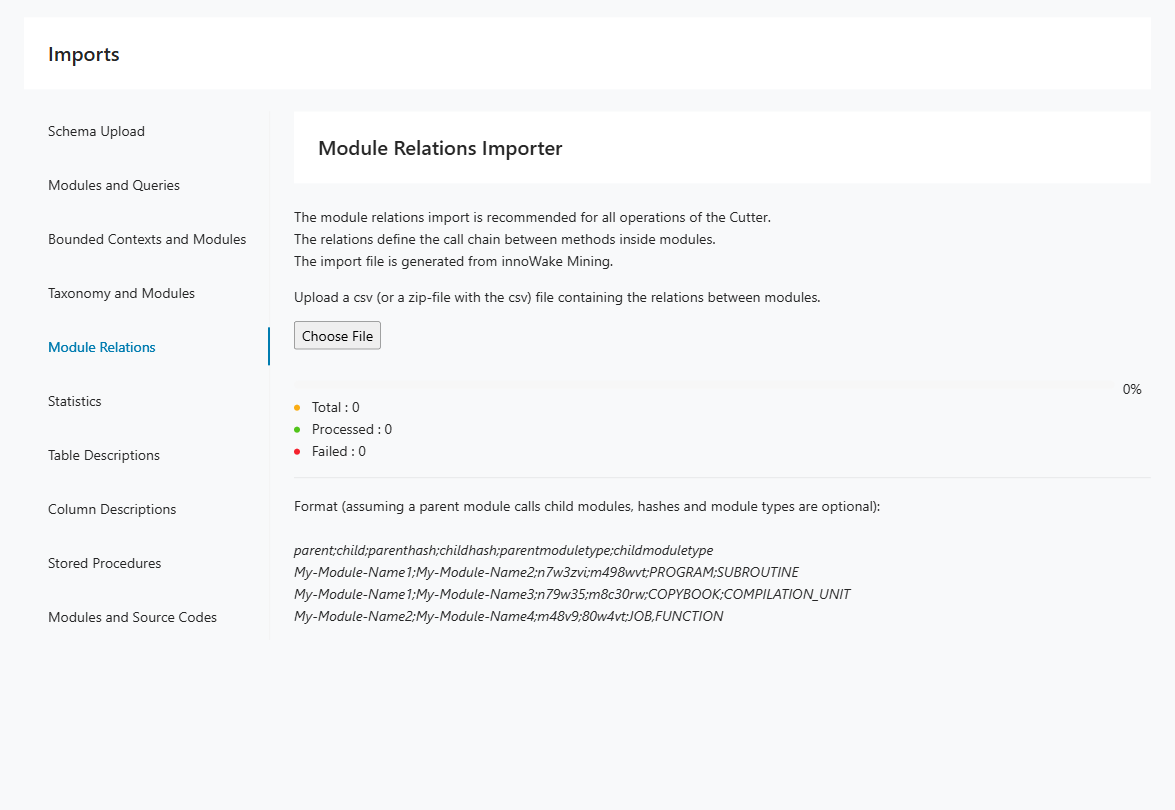
Step 6: Open Imports > Module Relations and upload module relation data.
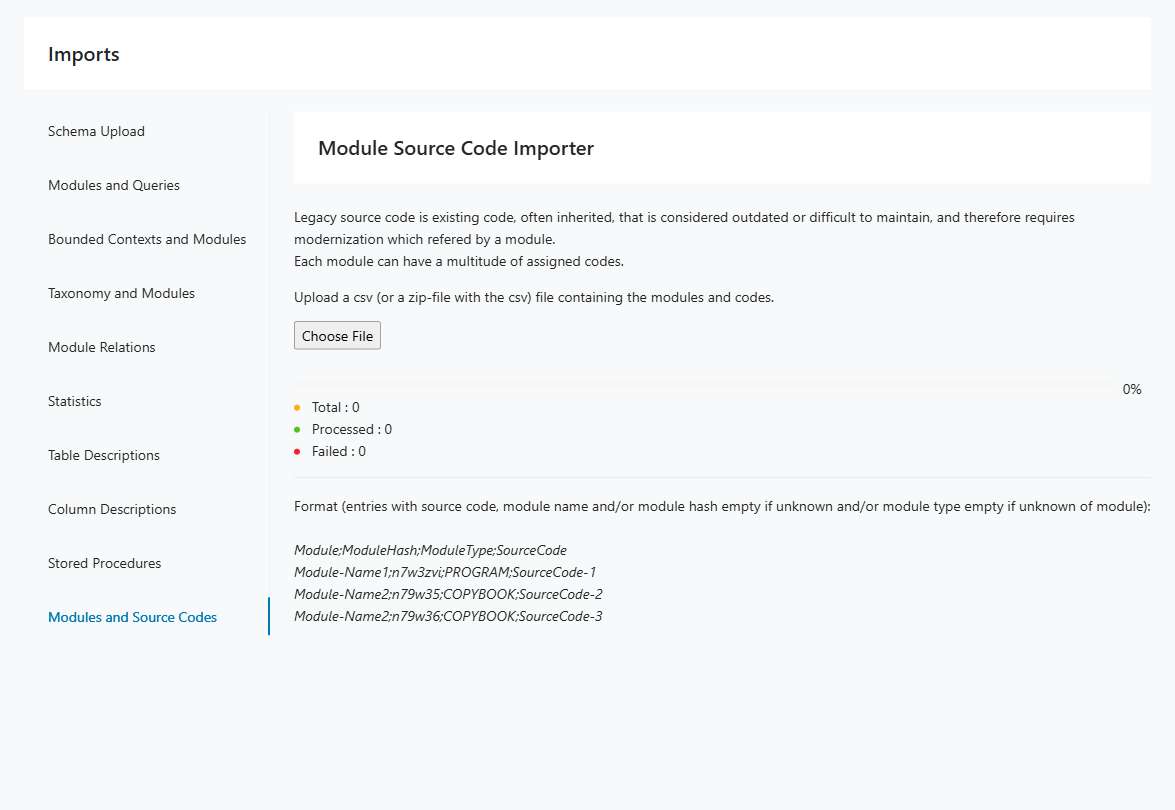
Step 7: Optional: open Imports > Modules and Source Codes and upload source code mapping data.
Step 8: Review import counters and error messages before moving to Insights and Decomposition.
Tracer use cases
These Tracer scenarios show how runtime evidence can support taxonomy discovery, behavior-driven decomposition, and dead-code analysis. They are useful when static analysis alone does not provide enough confidence about system usage. Use them to plan tracing activities around concrete modernization questions.
I want to identify a taxonomy in a code base
Prerequisites:
- The code base is supported by OpenTelemetry (Language APIs & SDKs | OpenTelemetry).
- We have access to the running system, ideally in a TEST environment.
Step 1: Instrument the code base with OpenTelemetry outside Decompose.
Step 2: Run the application and execute the relevant business case.
Step 3: Collect the generated log file or files.
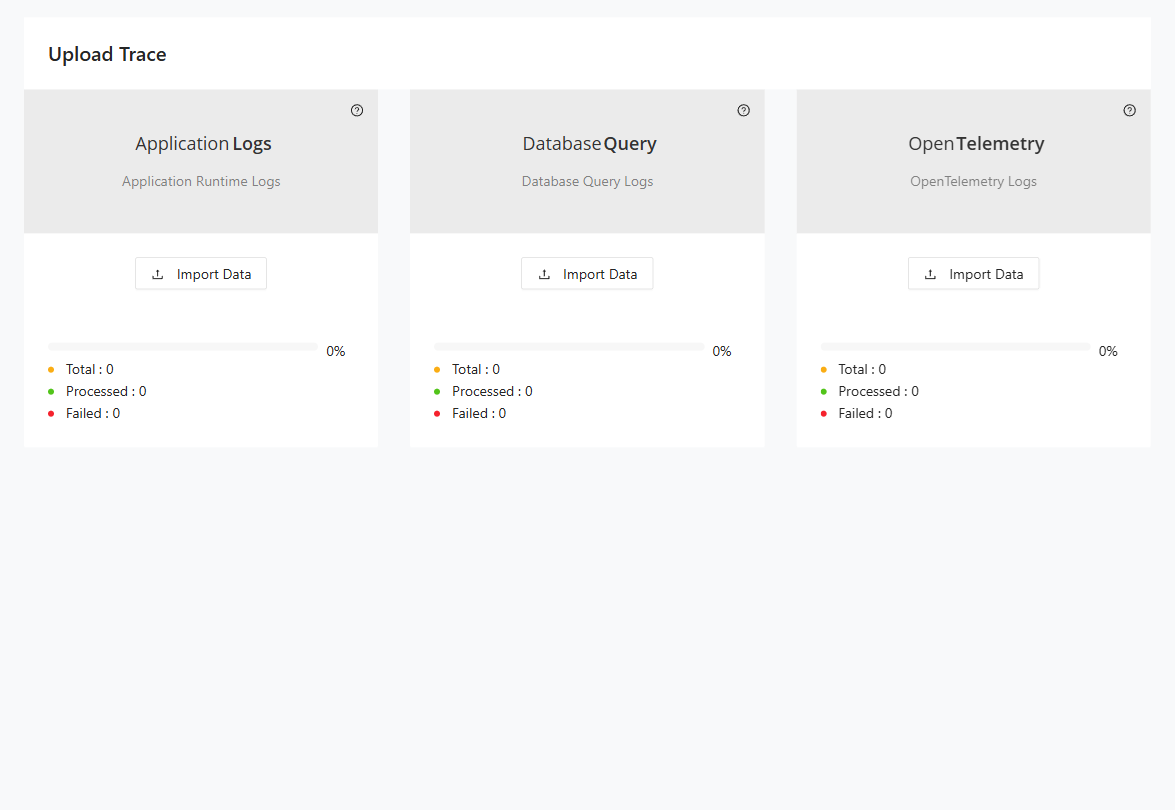
Step 4: In Decompose, open Tracer > Upload Logfile and import the log file(s).
Step 5: Open Tracer > Reports > Taxonomy Usage and export the report.
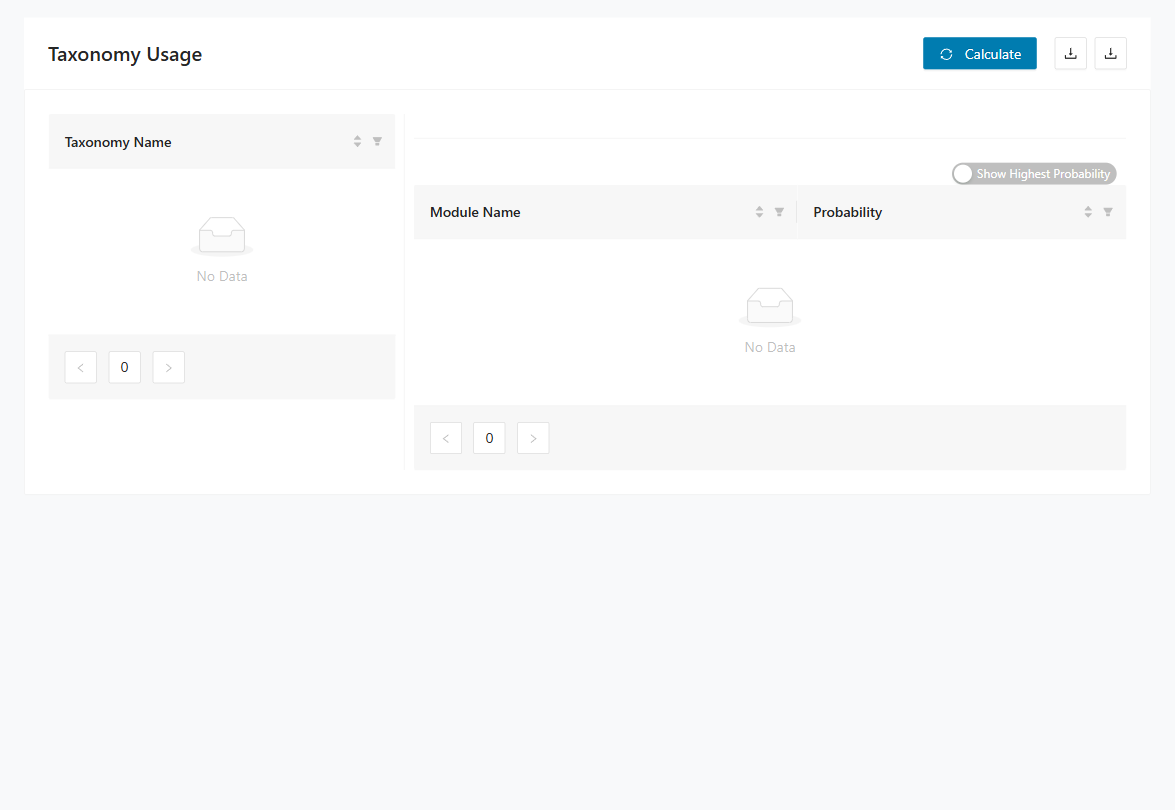
Step 6: Use the report to validate taxonomy assignments and refine decomposition boundaries.
I want to decompose a code base by user behavior
Prerequisites:
- The code base is supported by OpenTelemetry (Language APIs & SDKs | OpenTelemetry).
- We have access to the running system in a PROD environment.
Step 1: Instrument the code base with OpenTelemetry outside Decompose.
Step 2: Run the application for a representative period.
Step 3: Let users work as usual to capture realistic behavior.
Step 4: In Decompose, open Tracer > Upload Logfile and import the collected log file(s).
Step 5: Open Tracer > Reports > Taxonomy Usage and export the report for behavior-driven decomposition planning.
I want to identify dead code in a code base
Prerequisites:
- The code base is supported by OpenTelemetry (Language APIs & SDKs | OpenTelemetry).
- We have access to the running system in a PROD environment.
- A static code analysis has been performed (for example, with Mining).
Step 1: Instrument the code base with OpenTelemetry outside Decompose.
Step 2: Run the application and collect logs during normal usage.
Step 3: In Decompose, open Tracer > Upload Logfile and import the log file(s).
Step 4: Open Tracer > Reports > Module Usage and export the report.
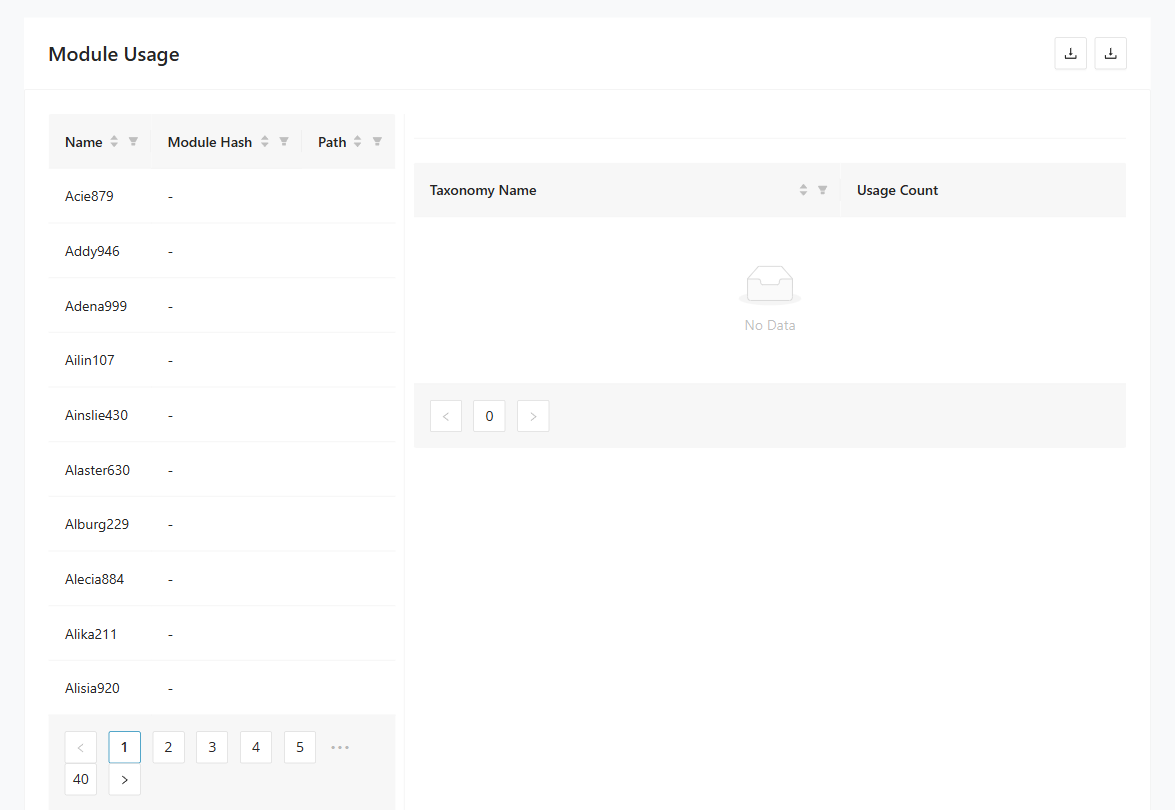
Step 5: Compare runtime activity with static analysis results to identify dead-code candidates.
Insights use cases
These Insights scenarios focus on understanding how modules, tables, and views relate to each other in the imported system. They help you answer targeted questions about table access and query behavior before making decomposition decisions. Use them when you need evidence from the analysis views rather than from tracer data or DB cutting.
I want to identify the modules that query a table
Prerequisites:
- Modules and queries have been imported.
Step 1: Open Insights > Query Paths.
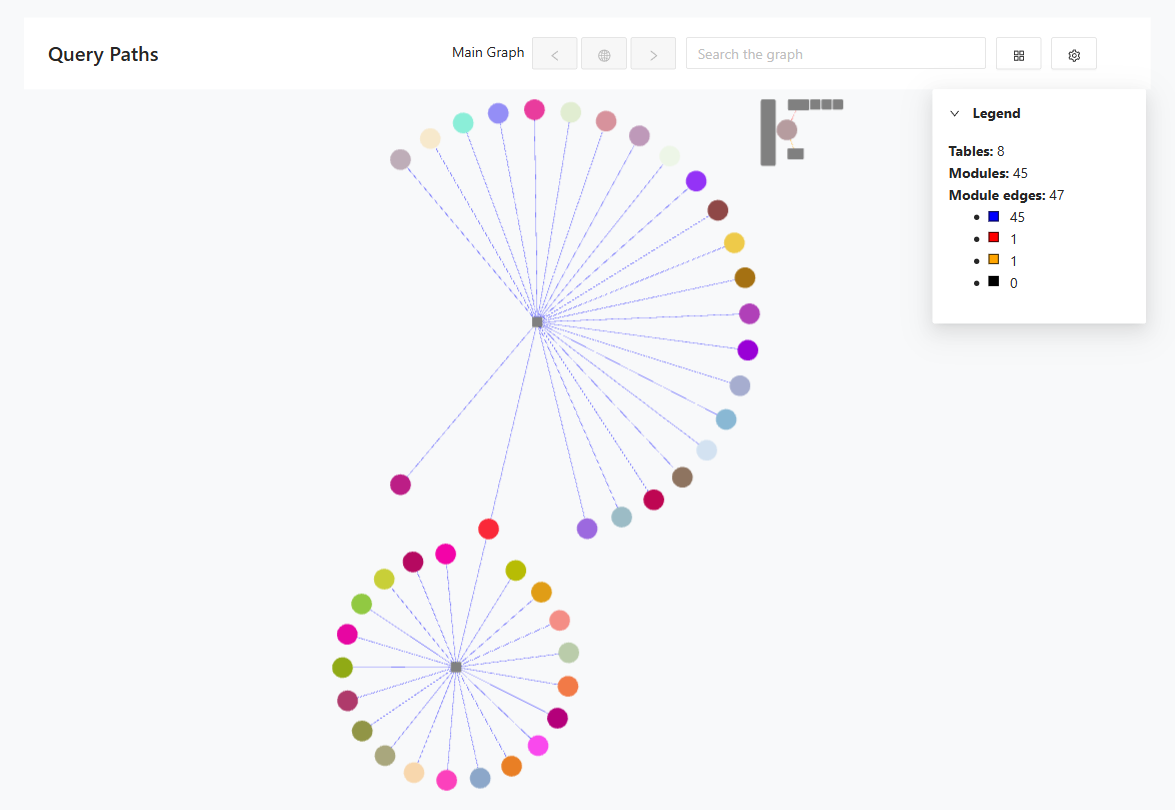
Step 2: Search the graph for a table name or module name.
Step 3: Select the table node.
Step 4: Review connected modules to identify who reads or writes the table.
I want to identify the modules that query a table in detail
Prerequisites:
- Modules and queries have been imported.
Step 1: Open Insights > Access Pattern Analysis.
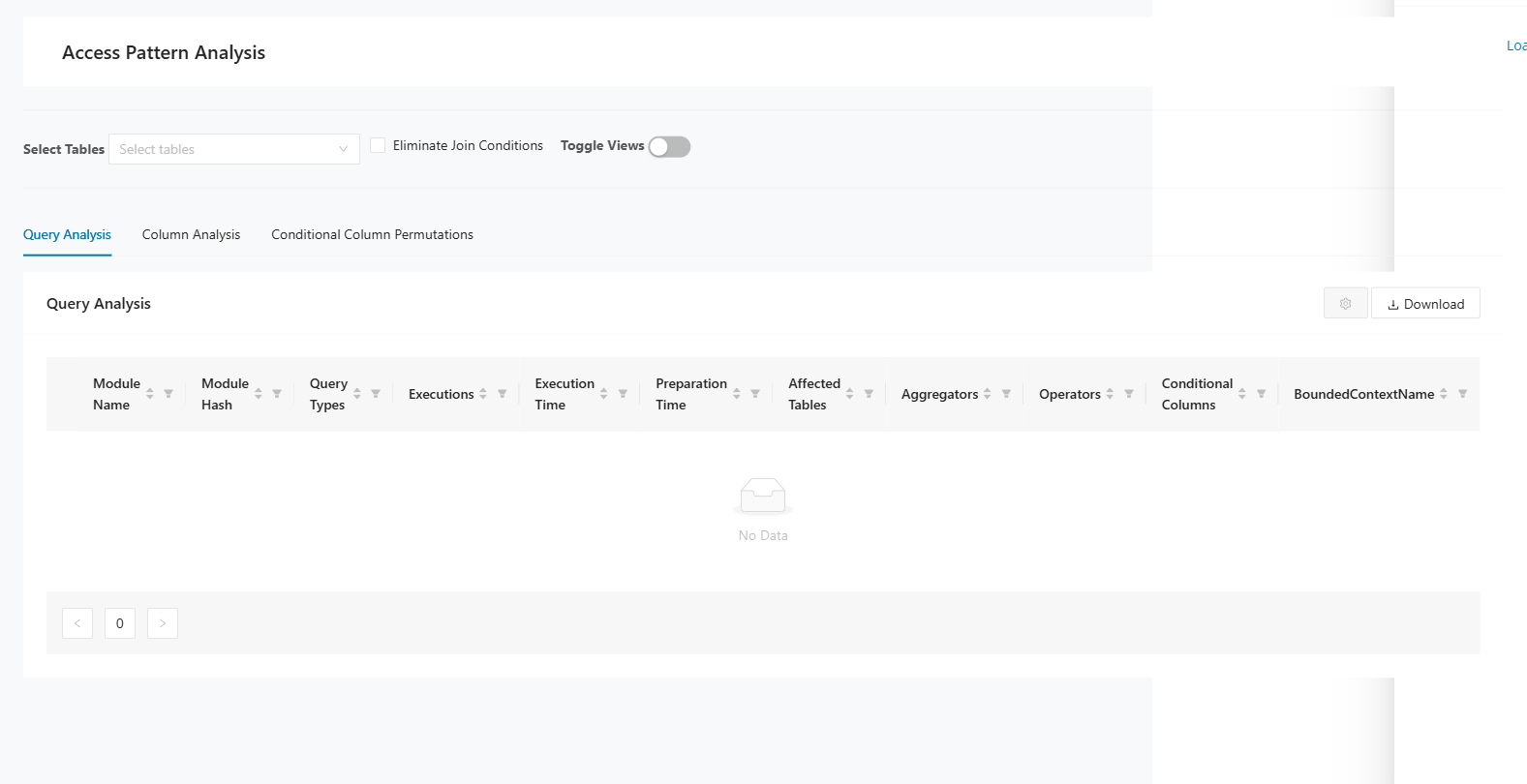
Step 2: Search for the target table.
Step 3: Review query characteristics and module-level access details.
Step 4: Open Insights > Reports > Module Table Access and export the report.
I want to identify tables that are queried by a view
Prerequisites:
- Modules and queries have been imported.
Step 1: Open Insights > Reports > Views and Tables.
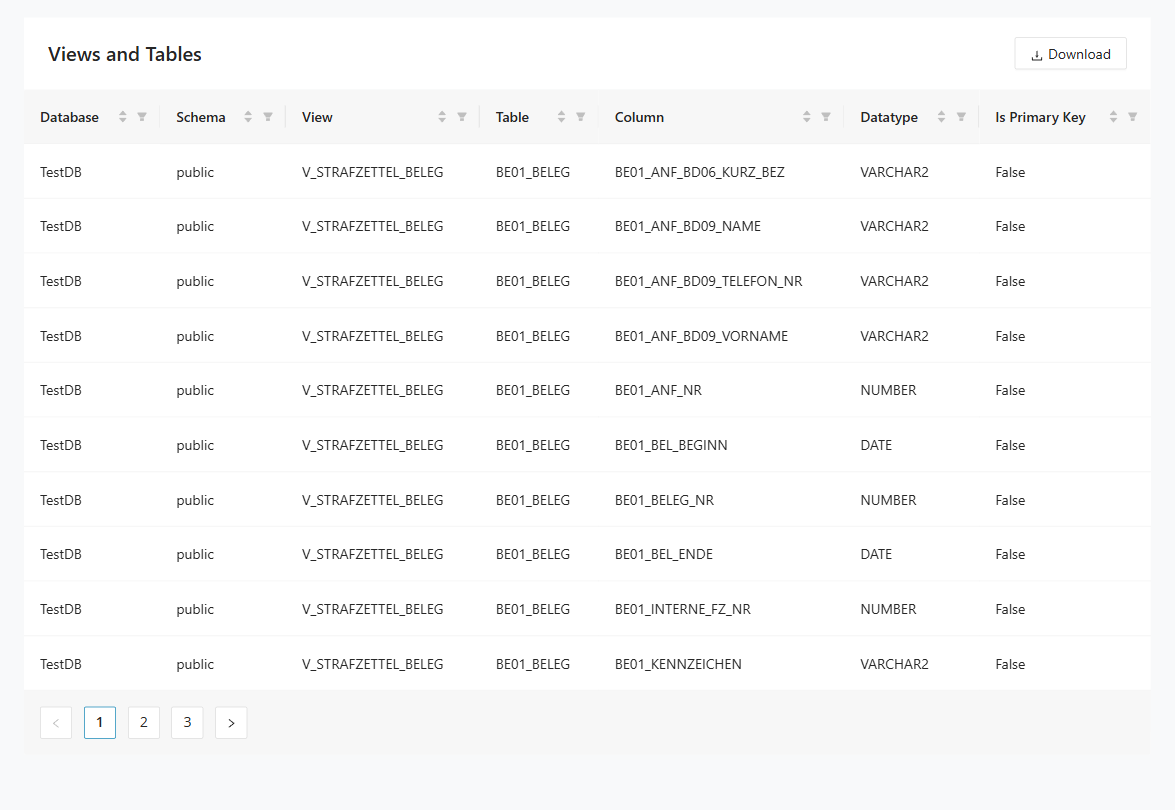
Step 2: Filter by view name to list related tables and columns.
Step 3: Export the Views and Tables report.
Decomposition use cases
These Decomposition scenarios help you turn imported module data into taxonomies and bounded context candidates. They are intended for teams actively shaping context boundaries and reducing cross-domain dependencies. Use them when you are refining how the application should be split into coherent domains.
I want to tag all modules in a call chain that accesses a table
Prerequisites:
- Modules and queries have been imported.
- Module relations have been imported.
Step 1: Open Decomposition > Reachability Analysis.
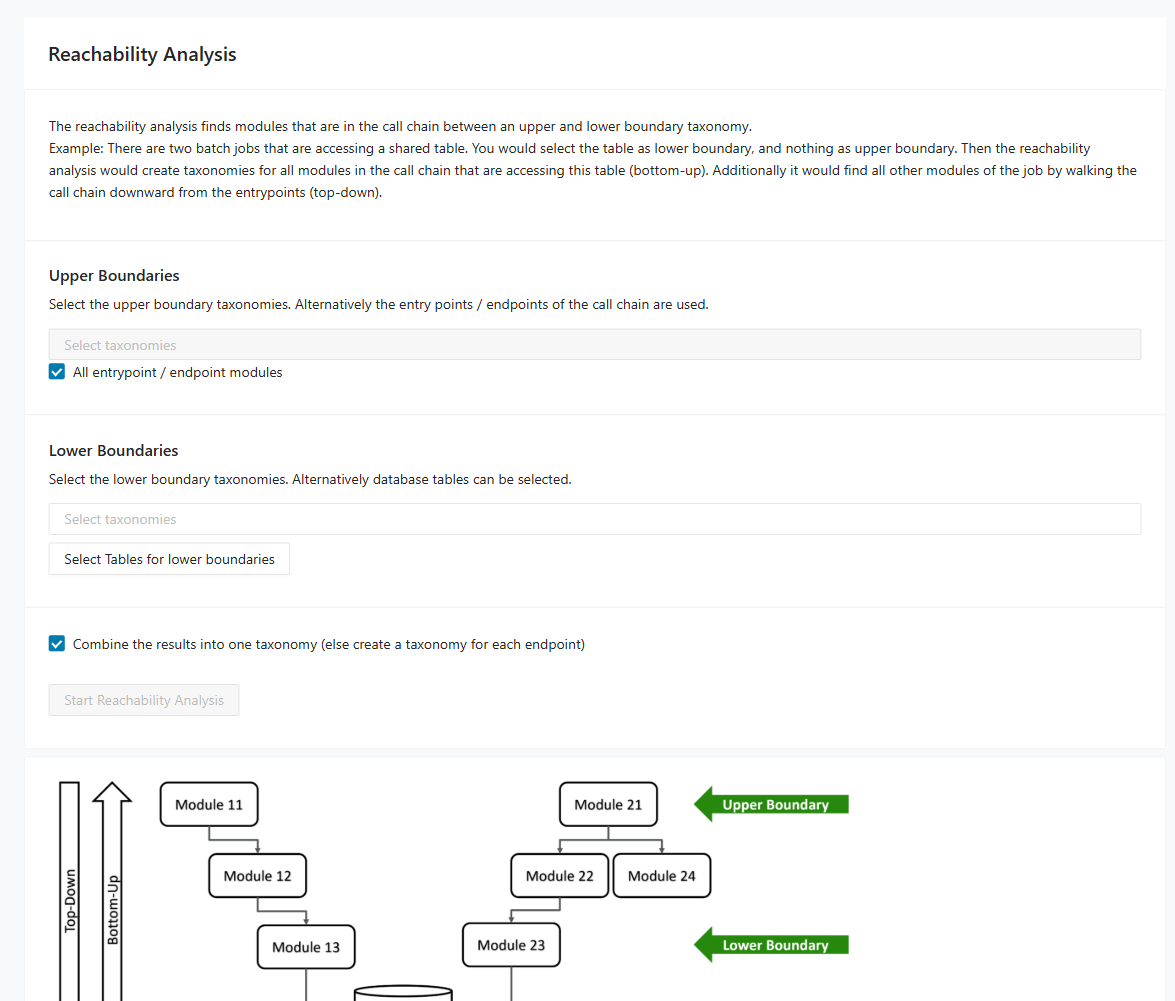
Step 2: Select the relevant upper and lower boundaries.
Step 3: Keep Combine the results enabled to create one taxonomy over all matching call chains.
Step 4: Disable Combine the results to create one taxonomy per endpoint.
Step 5: Run the analysis and review created taxonomies prefixed with RA.
I want to minimize code dependencies between taxonomies
Prerequisites:
- Modules and queries have been imported.
- Module relations have been imported.
- Optional: Mark taxonomies as Bounded Context Candidate in the Taxonomy Editor.
Step 1: Open Decomposition > Taxonomy Graph.
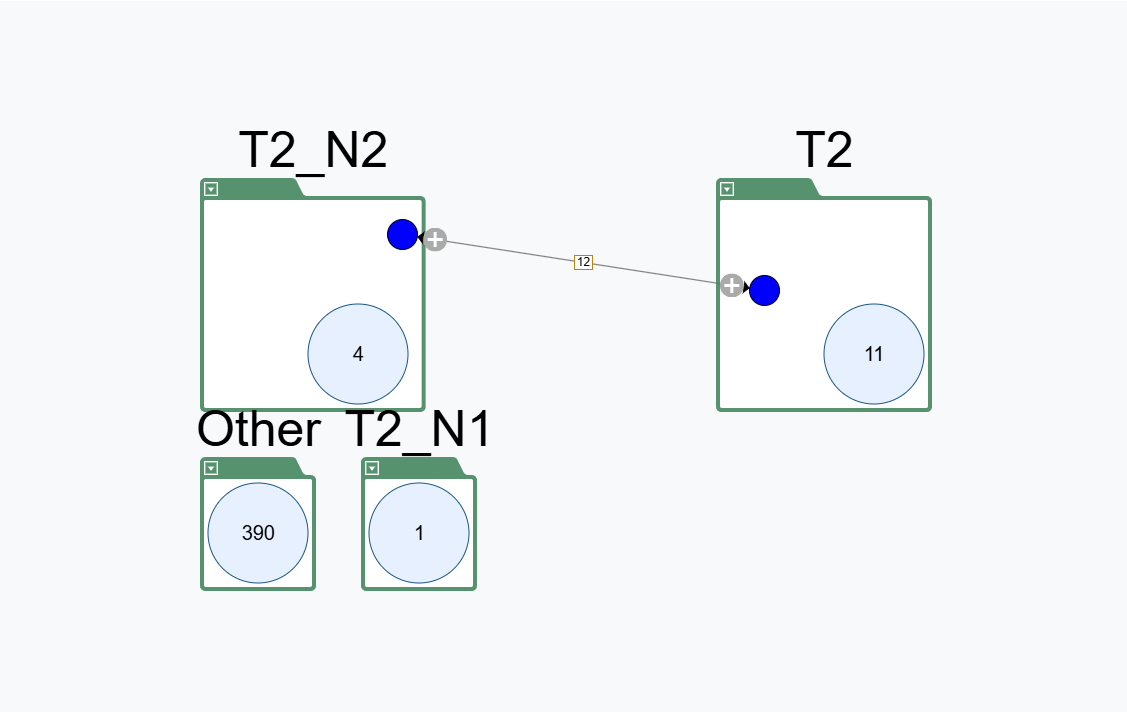
Step 2: Add the relevant taxonomies to the graph.
Step 3: Right-click a taxonomy and add intersection taxonomies where needed.
Step 4: Move modules between taxonomies and intersections to reduce cross-taxonomy dependencies.
I want to use Mining Taxonomies as Bounded Contexts for DB Cutting
Prerequisites:
- Modules and queries have been imported.
- Optional: Mark taxonomies as Bounded Context Candidate in the Taxonomy Editor.
Step 1: Open Decomposition > Bounded Context Editor.
Step 2: Go to the Taxonomy to Context tab.
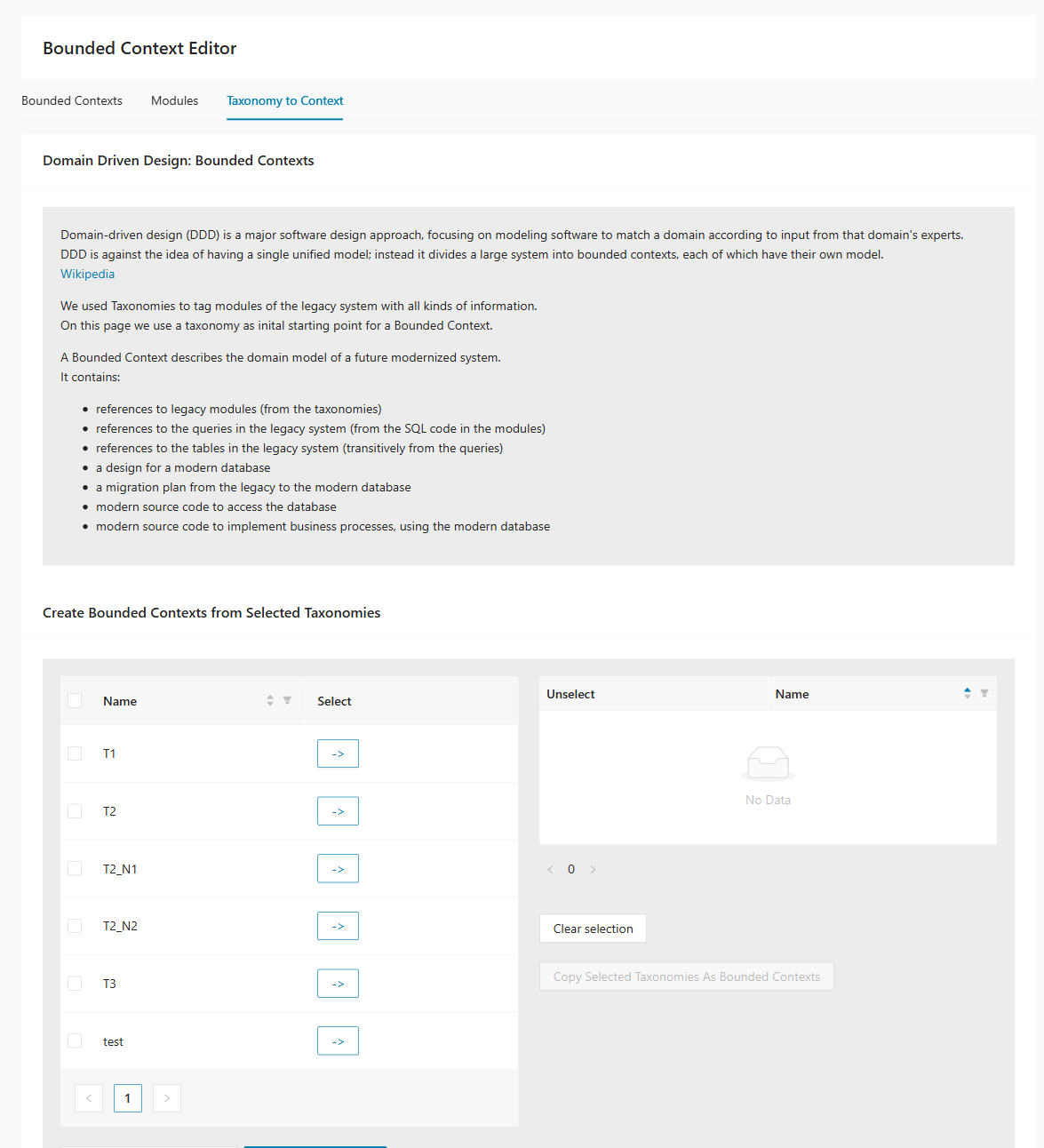
Step 3: Select the taxonomies that should become bounded contexts.
Step 4: Click Copy Selected so one bounded context is created for each selected taxonomy.
DB Cutting use cases
These DB Cutting scenarios focus on discussing and deciding how legacy tables and columns should move into target bounded contexts. They are useful in workshops where technical and business stakeholders need to review decomposition options together. Use them when you want to move from analysis into database-level design decisions.
I want to discuss the database decomposition with the customer (high level)
Prerequisites:
- Modules and queries have been imported.
- Database schema has been imported.
- A bounded context has been defined.
Step 1: Open DB Cutting > Table Decomposer.
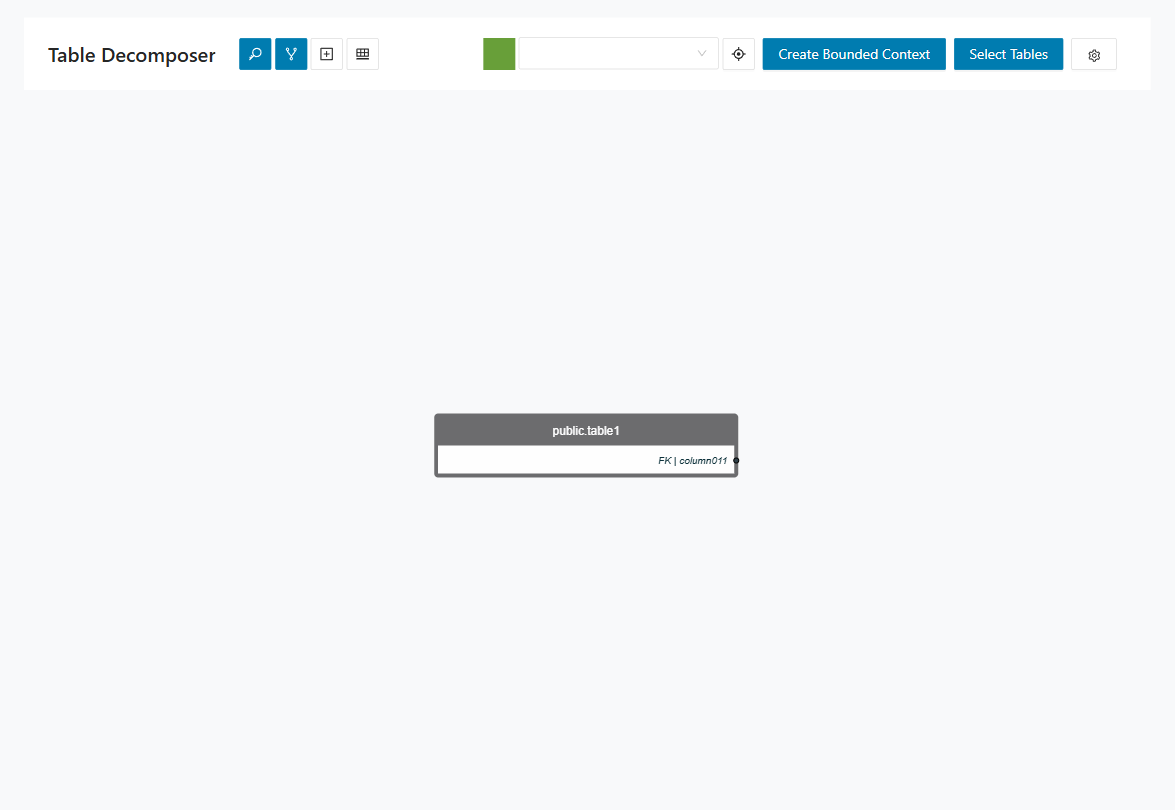
Step 2: Select the bounded context to discuss.
Step 3: Enable Show Primary Key and Show Foreign Key.
Step 4: Review the graph with the customer.
Step 5: Right-click tables to assign them to the bounded context or add related tables to the view.
I want to discuss the database decomposition with the customer (detail level)
Prerequisites:
- Modules and queries have been imported.
- Database schema has been imported.
- A bounded context has been defined.
Step 1: Open DB Cutting > Cut by Module.
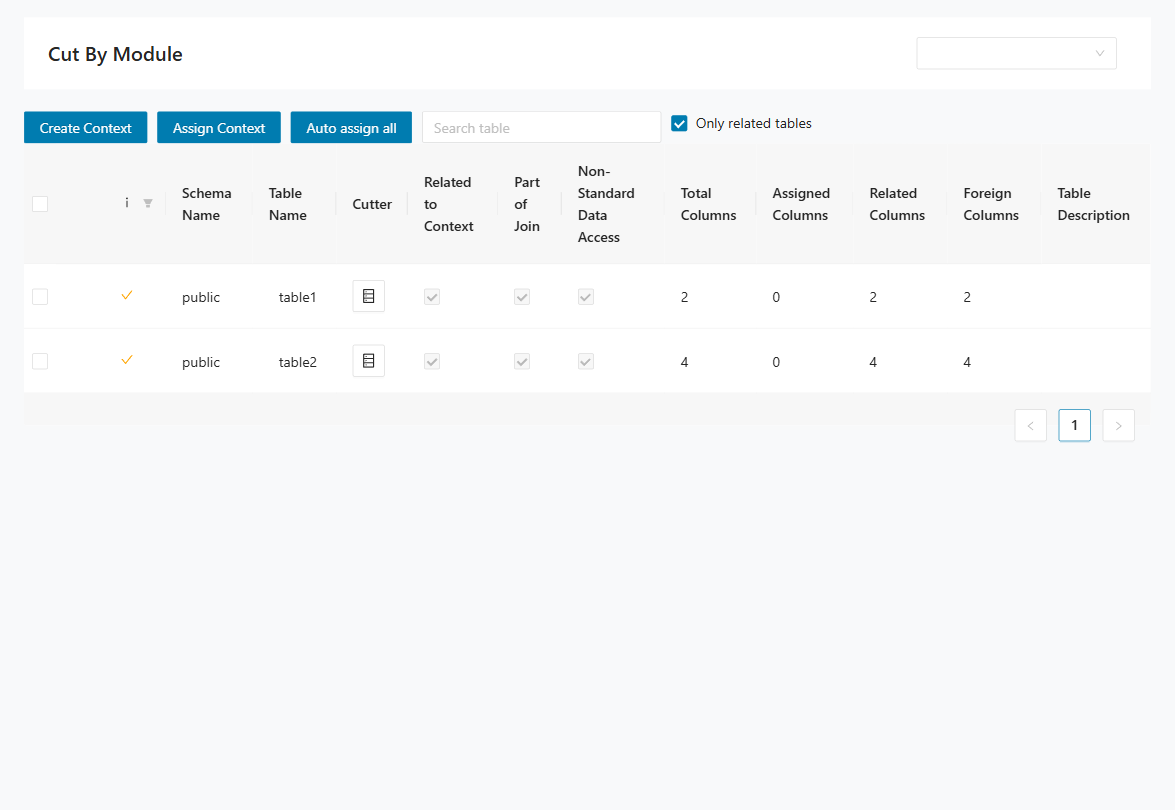
Step 2: Iterate through relevant tables and prepare a migration proposal for each column. Use this strategy guidance:
- Keep in current context: Column stays in the current bounded context.
- Move to target context: Column ownership moves to a different bounded context.
- Duplicate temporarily: Column exists in two contexts during transition.
- Expose via interface: Keep the data in one provider context and access it through an interface.
- Defer decision: Mark open points for follow-up workshops.
Step 3: Review each table and column with the customer and agree on the final strategy.
Step 4: Record customer decisions and constraints in the comment field for traceability.
Step 5: Open DB Cutting > Entities Designer to review the target schema.